Set Up Your Deployment Notifications
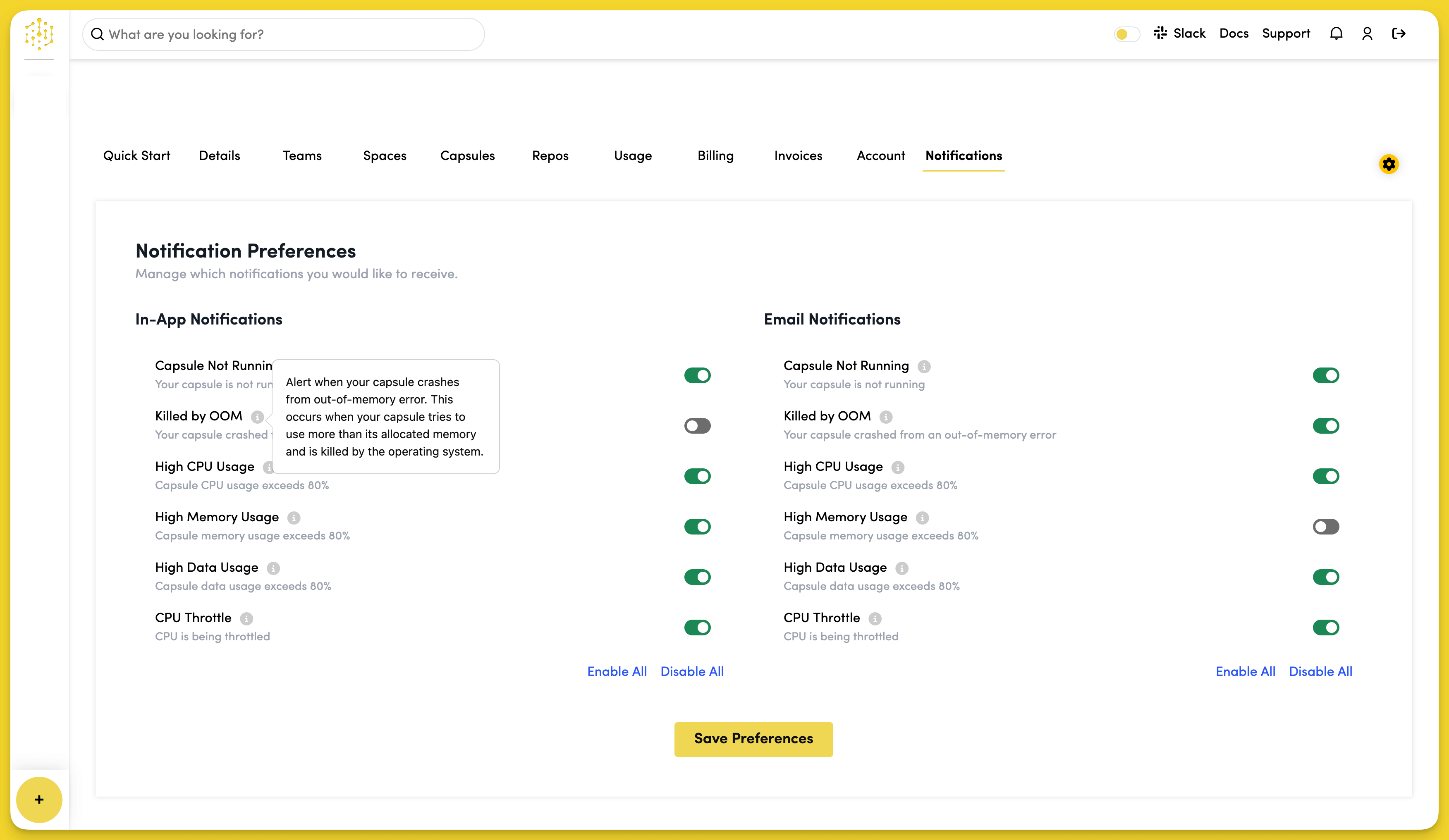
In-App Notifications
Configure which alerts you want to receive within the Code Capsules platform. Toggle individual notification types on or off based on your monitoring needs.
Email Notifications
Set up email alerts to receive notifications outside the platform. You can enable or disable email notifications for the same events as in-app notifications.
Notification Types
Available notification types include:
- Capsule Not Running - Alert when your capsule crashes or stops
- Killed by OOM - Notify when your capsule runs out of memory
- High CPU Usage - Alert when CPU usage exceeds 80%
- High Memory Usage - Notify when memory usage exceeds 80%
- High Data Usage - Alert when data usage exceeds 80%
- CPU Throttle - Notify when CPU is being throttled
Use "Enable All" or "Disable All" buttons to quickly configure all notifications, then click "Save Preferences" to apply your changes.