Configure Your Frontend App
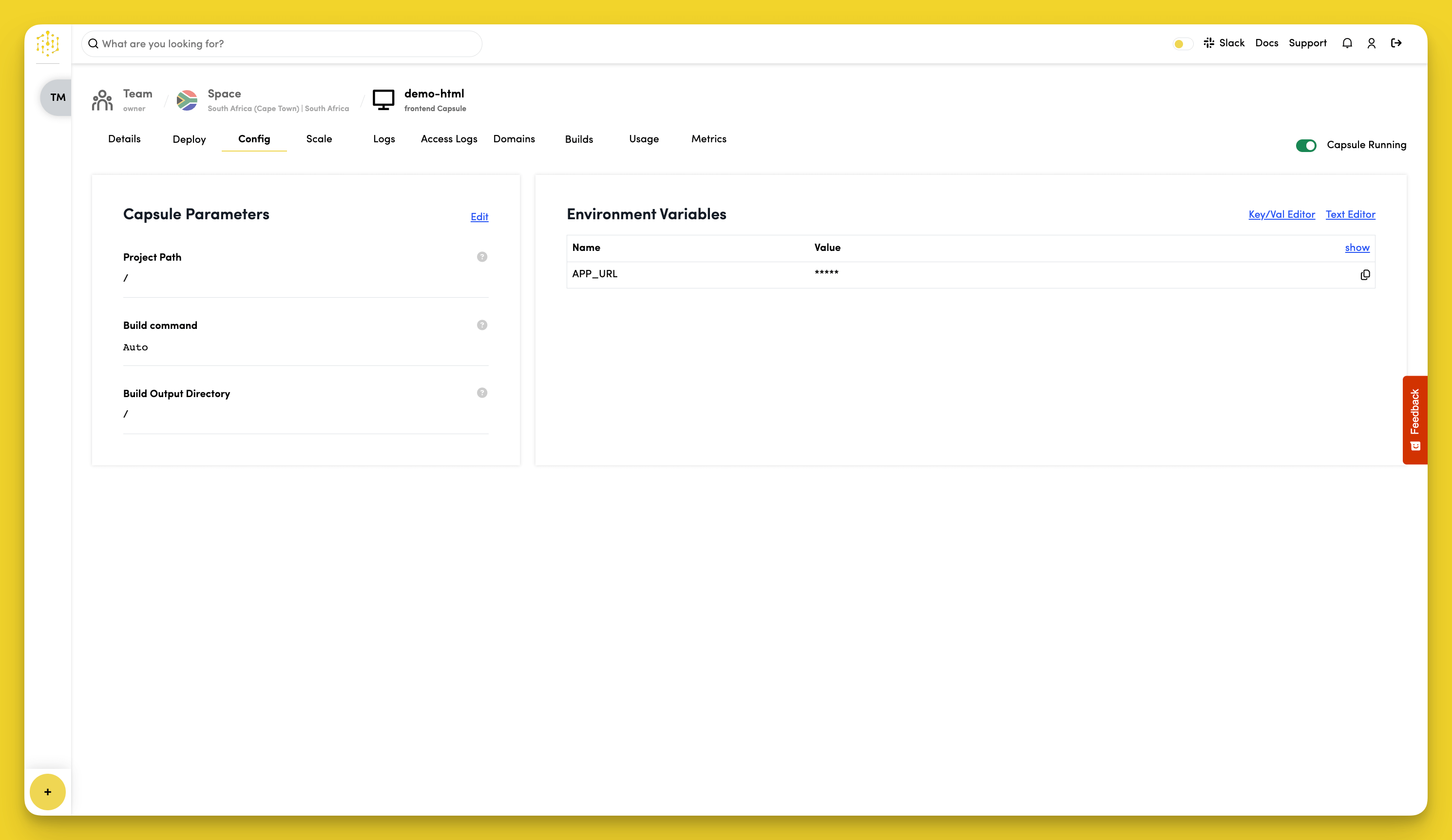
To configure your Frontend Capsule, navigate to the "Config" tab.
Set the Project Path
Click "Edit" in the "Capsule Parameters" section to set where your HTML files are located. The default is / which works for most projects.
Set the Build Command
Click "Edit" in the "Capsule Parameters" section to set your build command. The default is Auto which automatically detects and runs your build process.
Set the Build Output Directory
Click "Edit" in the "Capsule Parameters" section to set where your built files end up. Leave as / if you're not using a build process.
Environment Variables
Frontend Capsules automatically get these environment variables:
APP_URL- Your capsule's public URL
To view variable values, click "show" in the "Environment Variables" section.
To add custom variables:
- Click "Key/Val Editor" or "Text Editor" in the "Environment Variables" section
- Edit the variable "Name" and "Value"
- Click "Save"