Configure
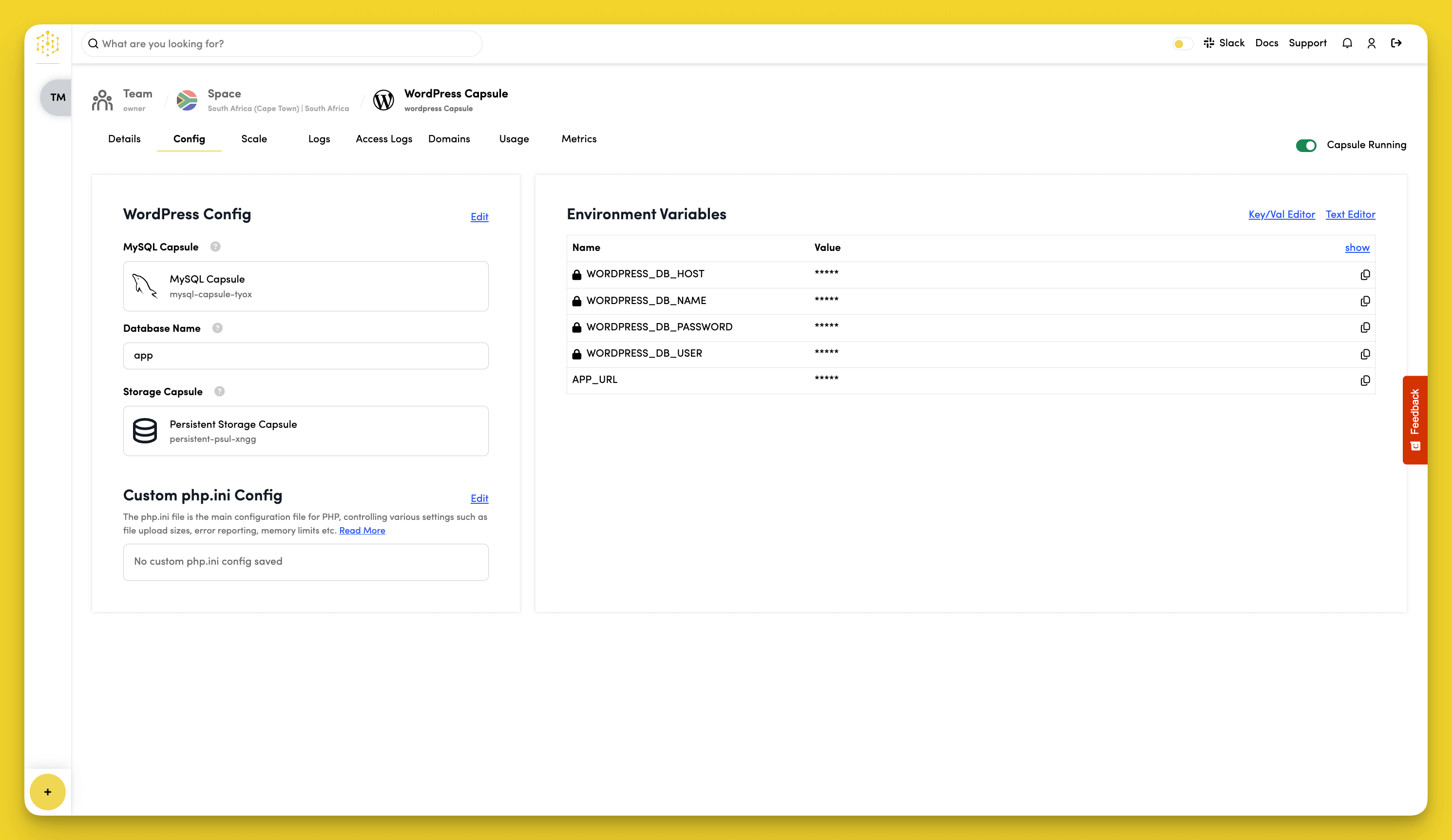
To configure your WordPress Capsule, navigate to the Config tab.
Choose a MySQL Capsule
Your WordPress Capsule needs to connect to a MySQL Data Capsule. Click Edit in the WordPress Config section to select a MySQL Capsule from your Space.
Edit the Database Name
Click Edit in the WordPress Config section to edit the name of your WordPress database. The default is app.
Choose a Storage Capsule
Your WordPress Capsule needs to connect to a Persistent Storage Capsule. Click Edit in the WordPress Config section to select a Persistent Storage Capsule from your Space.
Environment Variables
WordPress Capsules automatically get these environment variables:
WORDPRESS_DB_HOST- Database server locationWORDPRESS_DB_NAME- Database nameWORDPRESS_DB_USER- Database usernameWORDPRESS_DB_PASSWORD- Database passwordAPP_URL- Your site's public URL
To view variable values, click show in the Environment Variables section.
To add custom variables:
- Click Key/Val Editor or Text Editor in the Environment Variables section
- Edit the variable Name and Value
- Click Save
Custom php.ini Config
Add custom PHP settings if needed, like upload sizes or memory limits.
Leave the field empty to use default settings.